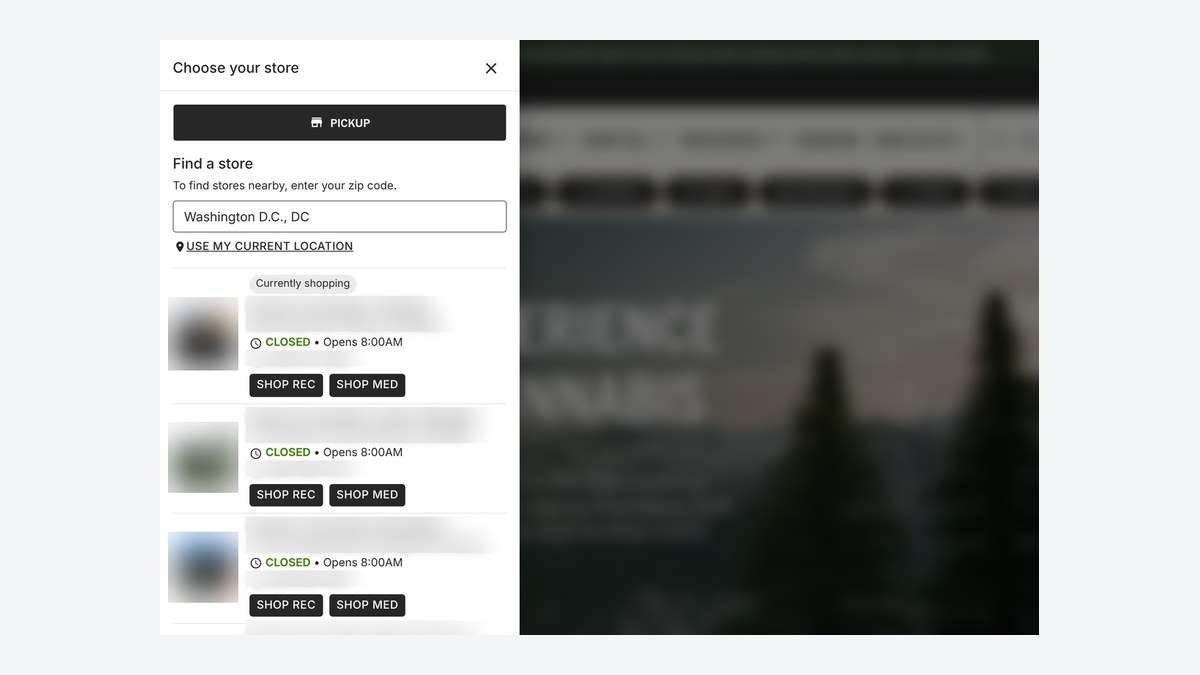
You can now open the Rank Really High store selector from any button or link on your Rank Really High site. That includes Elementor buttons, navigation menus, and popups. It gives your team more ways to help shoppers pick the right store before they start shopping.
What you can do now with the store selector
Point any button or link to #joint-store-selector and it will open the store selector when clicked. Use it wherever a shopper might need to choose or switch stores:
- A “Choose your store” button on your homepage or a landing page
- A link in your main navigation menu
- A button inside a popup or promotion
Simpler store lists on Canadian storefronts
On Canadian storefronts, store lists now show one clear Shop Store option, without Recreational, Adult Use, or Medical labels. The current shopping line also names pickup or delivery. US storefronts are unchanged.
Why it matters
- Right store, right menu. When shoppers pick their store early, they see accurate products, pricing, and availability.
- Flexible design. Your team can place the selector where it fits your layout instead of relying on a single header control.
- Cleaner choices. Canadian shoppers see one simple action per store.
FAQ
What link opens the store selector?
Set the button or link URL to #joint-store-selector. Clicking it opens the store selector.
Does this work in Elementor popups?
Yes. Elementor buttons, navigation menus, and popups can all open the store selector.
Did anything change for US stores?
The button and link option works on every site. The Shop Store label change applies to Canadian storefronts only.
Learn more
The store selector is part of our native dispensary ecommerce platform, built for single and multi-store retailers. Read more in What Is Native Ecommerce for Dispensaries, or book time with our team for help adding a store selector button.